
Self-shopper: self-service shopping where the customer scans the items themselves

While shopping, the customer scans the items themselves, submits their basket, and simply pays at the checkout. No unloading of goods, no lines. They complete their shopping at their own pace, and the store saves on cashier time.
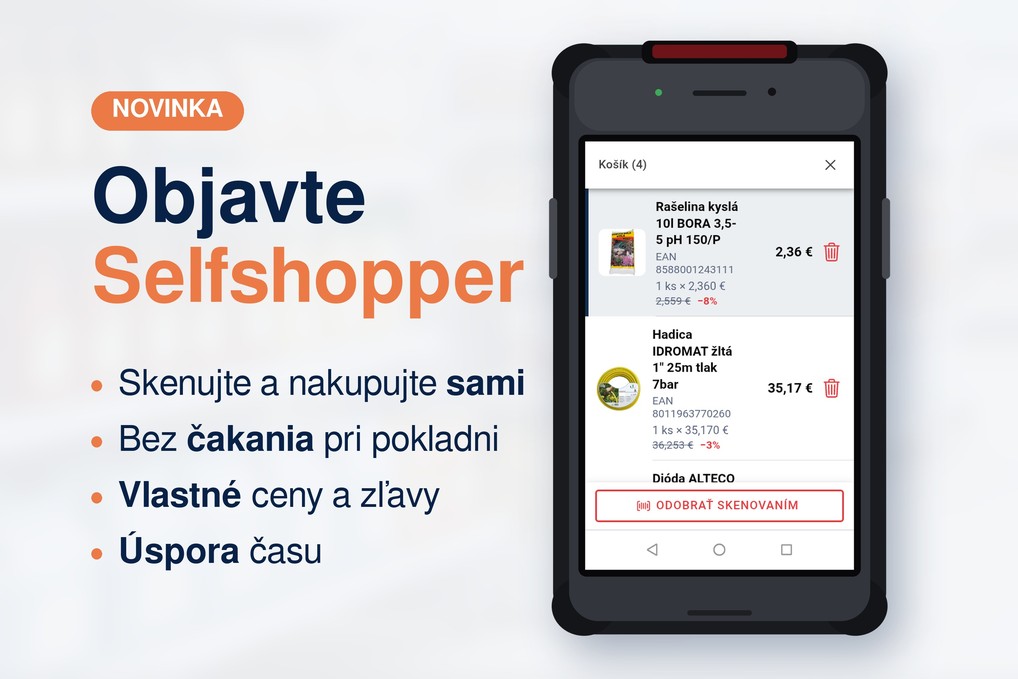
How Selfshopper Works
The entire shopping process takes place in four steps:
- The customer logs in using their user card and immediately sees their prices and discounts.
- While shopping, they scan items into their cart using either a handheld scanner or their own phone.
- They review and submit the cart, creating an order.
- They pay at the checkout, with the total cost already calculated.
The application is designed with a "scan-first" approach: scanning is the priority. Customers can open the app and start scanning immediately, without unnecessary clicks.
A Cart Like an Online Store's
Scanned items are saved to the cart, just as customers are used to from online stores. An order is only created when the customer submits the cart. Until then, they can freely review, add, or remove items.
The store can customize the cart's behavior. It determines how long the cart remains active and when an abandoned cart—one that was never submitted—is automatically cleared. This prevents unfinished shopping sessions from cluttering the system.
Handheld Scanner or Personal Phone
Selfshopper works on two types of devices.
In-store handheld scanners. The customer picks up a scanner upon entry and returns it after shopping. Customer's own phone. Customers can shop using their iPhone or Android device, scanning items with the camera. They benefit from a larger screen and a familiar interface. Meanwhile, the store can serve more self-service customers simultaneously without purchasing additional scanners.
Logging in via user cards
Customers log in by scanning the barcode on their user card.
Customers gain access to Selfshopper automatically upon the creation of a user card. This gives the store a clear overview of authorized customers and the ability to revoke access at any time.
Once logged in, the customer sees their specific prices and discounts. Selfshopper recognizes their pricing terms—just like an online store or sales representative—so they know the actual cost of an item while scanning. There are no surprises regarding the total amount at checkout.
Key considerations: high-quality barcodes
Label quality is crucial for phone scanning. While a professional scanner can read lower-quality codes, a phone camera is more sensitive.
Codes printed on standard A4 office paper often suffer from blurred edges or poor contrast, causing phones to scan them slowly or not at all. The solution is using labels from a professional label printer, which phones can scan instantly.
Summary
- Faster shopping. Customers scan items themselves and simply pay at the checkout.
- Cart management. An order is created only upon submission, and abandoned carts are cleared according to your settings.
- Device choice. Use in-store handheld scanners or the customer's own phone.
- Easy login. User card linked to the customer's specific pricing and discounts.
Planning to implement self-service shopping in your store? Get in touch with us. We’ll gladly advise you on app setup, device selection, and choosing the right label printer.