

Recent updates
Automatic emails for billing contacts when the order status changes
When the status of an order that already has at least one invoice changes, the system automatically sends an email not only to regular contacts, but also to all billing contacts of the business partner. This ensures that accounting departments and persons responsible for invoices are always informed of important changes in order status, thereby improving communication and reducing misunderstandings regarding invoicing.
Automatic invoicing while generating shipment
The system enables automatic generation of delivery notes and invoices at once through workflow, while the scheduler ensures their processing in the correct order and then automatically sends invoices to billing contacts.
When printing delivery notes, invoices are generated automatically and printed together with the relevant delivery documents as a pair, eliminating manual sorting. This change saves time in invoicing, reduces the risk of manual errors, and ensures a smooth flow between the delivery note, invoice, and customer communication.
In the final step, invoices are automatically sent to the assigned billing contacts, speeding up the entire invoicing process, reducing errors, and improving customer communication. Main features:
- Document processing order
- Automatic sending of emails to billing contacts
- Printing of documents in pairs: invoice and delivery note
Improvements of Business Partners in POS
We have created a new search index for business partners. The highest weight is assigned to the partner name, ensuring the most relevant search results. The index only includes active customers; suppliers are excluded from the search.
Search improvements
- Sorting by relevance in search (a new search option Parameter PartnerSearchType = IndexSearch has been added to the settings, which allows you to switch to full-text search in the index)
- Partner search includes a new filter by address type (All, Billing, Delivery)
- Results display the partner's email, address type, loyalty program level, and instead of the city, now the partner's address with contact information
Automatic address setting in POS order
When selecting a specific partner address, it is automatically set as the order address, and the billing address is set according to the system designation. The billing and delivery addresses are displayed in the partner details on the POS order.
Preset cash operations
Added default types for withdrawal (Other withdrawal) and deposit (Other deposit) with the obligation to select the amount.
Cover Image for Collections
Collections now support setting a cover image as the main image that will be displayed when previewing a post. When uploading an image, simply set the type to "Cover image" and the image will automatically be used as the representative image for the post.
It allows other images to be inserted into the content via markdown, but they will not be marked as the main image. For more information on adding images to your blog, see our guide on using markdown.
Nový tlačový formulár DPH priznania od 1.7.2025
Členenie riadkov podľa jednotlivých sadzieb DPH
Od 1. júla 2025 sa zavádza nový vzor daňového priznania k DPH. S týmto termínom je účinný nový tlačový formulár a aktualizovaná XSD schéma pre elektronický export (vzor DPHv25).
Hlavné zmeny:
- rozdelenie vybraných riadkov podľa jednotlivých sadzieb DPH,
- doplnenie nových riadkov určených pre samozdanenie pri dovoze tovaru podľa § 84a ods. 3 zákona o DPH (na požiadanie)
V súlade s týmito zmenami bola vytvorená nová definícia priznania s kódom 2025-07-01, ku ktorej je priradený nový exportný formát platný od 1.7.2025. Export kontrolného výkazu DPH zostáva nezmenený.
Faster, smarter global search

Global search now responds instantly as you type, highlights matching text, and shows available transaction codes upfront. Navigate faster with keyboard shortcuts and enjoy a more reliable search experience that handles even complex queries gracefully.
Incremental search with instant feedback
Start typing and see results immediately. The search now works incrementally with transaction codes, showing matches as you type without waiting for Enter. When searches take longer than expected, you'll see clear timeout messages instead of wondering if something went wrong.
Keyboard-first navigation
Access the search immediately using the visible keyboard shortcut ALT+G. Switch to the Search in Records tab using / and navigate through the results using only the keyboard. For example, use the /o keys to search in orders. The search tab for records opens automatically, eliminating unnecessary clicking.
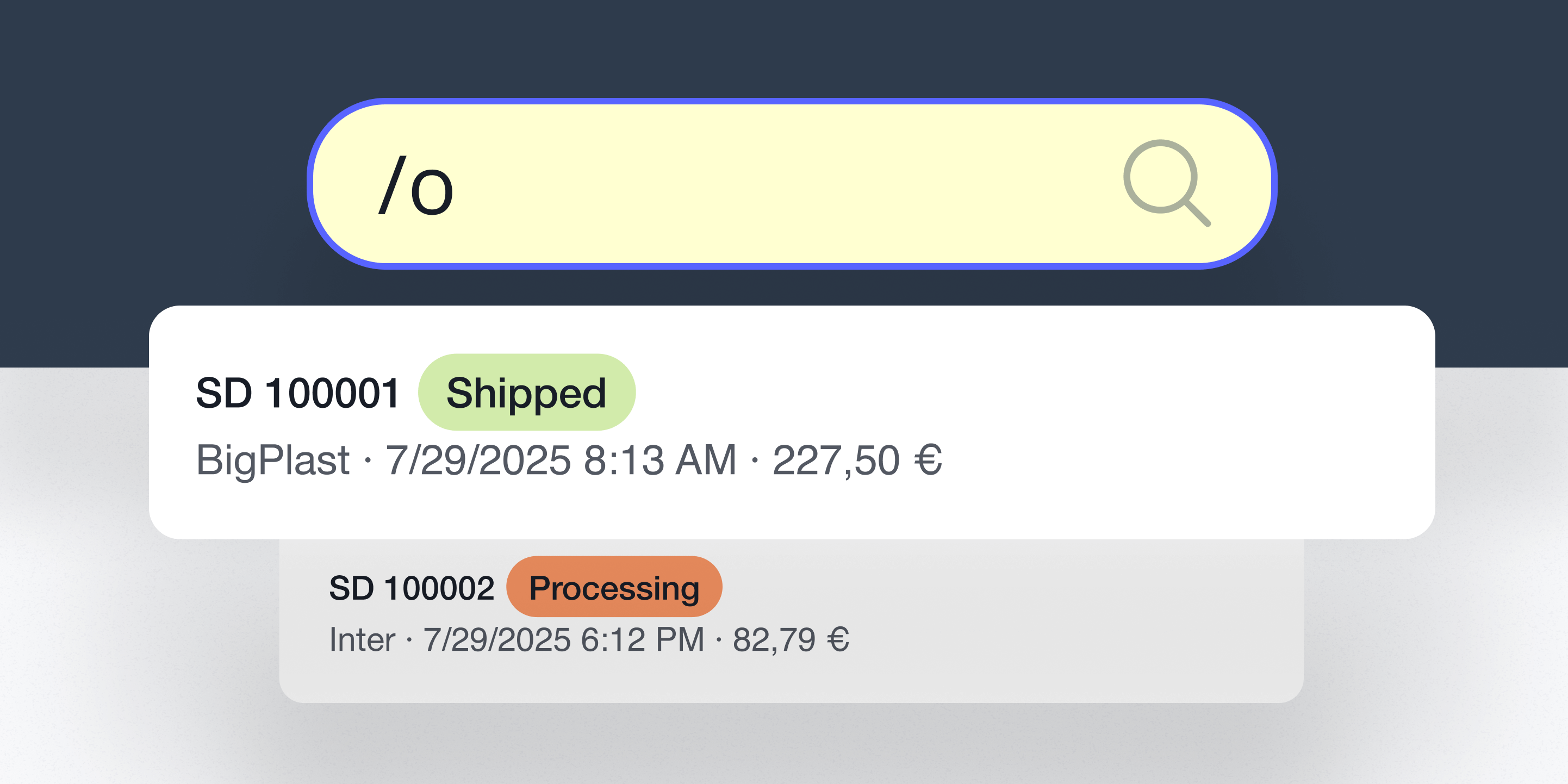
Enhanced visual clarity
Every search result now displays both the transaction code and full name, making it easier to find exactly what you need. Matching text is highlighted in both menu items and search results, so you can quickly scan and identify the right option.
Technical improvements
- Performance - Smart timeout handling prevents slow queries from freezing the interface while maintaining full functionality with Enter key
- Accessibility - Safer popup heights ensure search results are always visible and accessible on all screen sizes
- Error handling - Clear messaging for database errors and timeouts instead of silent failures
- Reliability - Fixed Enter key behavior - selected menu items now open correctly instead of just closing the search
Feature
- feat(GlobalSearch): Allow Define Document Global search result layout with custom html layout, CLD-1434 #4163
- feat(GlobalSearch): Change search result display to flex layout, CLD-1435 #4170
Fix
- fix(GlobalSearch): Enter key does not open menu item in global search, CLD-1435 #4175
Value-specific color override for charts

Chart color customization now supports setting color schema rules at client and dashboard levels, with the ability to override specific colors for individual data series. Configure default color schemes for consistent branding across all charts, then customize specific values or series with distinct colors to highlight important data points or maintain visual consistency with your business requirements.
Dashboard that guides you to work

Your dashboard turns into an active workspace. Large numbers immediately show how many tasks are waiting, one click takes you straight to work, and new widgets transform static information into a navigation center for your daily agenda.
Task cards for instant overview
The new style presents your work as clear cards with large numbers. You see "2 orders waiting for confirmation" and with one click you are directly in the order window. No searching in menus - your tasks are visually presented and immediately available.
Grid layout for status indicators
Document statuses now support a modern grid view similar to the menu bar. Instead of traditional rows, you get a clear grid of widgets, where each status has its own space with improved design and interactivity.
Smart link to Info windows
Clicking on any status indicator takes you directly to the corresponding Info window with pre-set filters. In addition to the existing navigation to windows and forms, you now have a third way to quickly access your data.
Configurable for each role
Each role can have its own customized dashboard:
- Accountant sees unposted documents, open periods, pending approvals
- Warehouse clerk monitors critical stocks, pending receipts, unprocessed expenses
- Manager has an overview of approvals, KPIs, and critical tasks
Technical improvements
- Visual hierarchy Large statistical numbers for immediate understanding of the number of unresolved tasks
- Navigation Direct redirection from widgets to actions with a single click
- Flexibility One panel supports multiple widgets with a configurable layout
- Icons and colors Visual differentiation of different task types for faster orientation
Feature
- impr(DPDocumentStatus): Format status count based on user locale, CLD-1424 #4156
- feat(DPDocumentStatus): Role center style (task cards), CLD-1424 #7
- feat(DPDocumentStatus): Improve Document Status Panel Layout, Interaction and Configuration, CLD-1425, , CLD-1424 #4126
- feat(DPDocumentStatus): Make the indicator colors and icon definable, add tooltip ref CLD-1424
- feat(DPDocumentStatus): Match Icon color to text color ref CLD-1424
Fix
- fix(DPDocumentStatus): Fix Document Status Widget Loader, CLD-1424 #4150
- fix(Charts): Stacked bar chart group week doesn
Interactive charts and hierarchical reports

We have created an intuitive “bridge” for a smooth transition from your established workflows. Better understanding of available data for building more complex analytical views.
Default reports on the main page
Right after logging in, you will find reports with preset parameters and formats tailored to your permissions. No searching through menus – your most important data is immediately available. Easily run reports directly from the main page without unnecessary navigation.
Interactive hierarchical reports
Introducing a new way of working with reports. Now you can analyze your data interactively – click through hierarchies, drill down into details, and immediately navigate to specific documents.
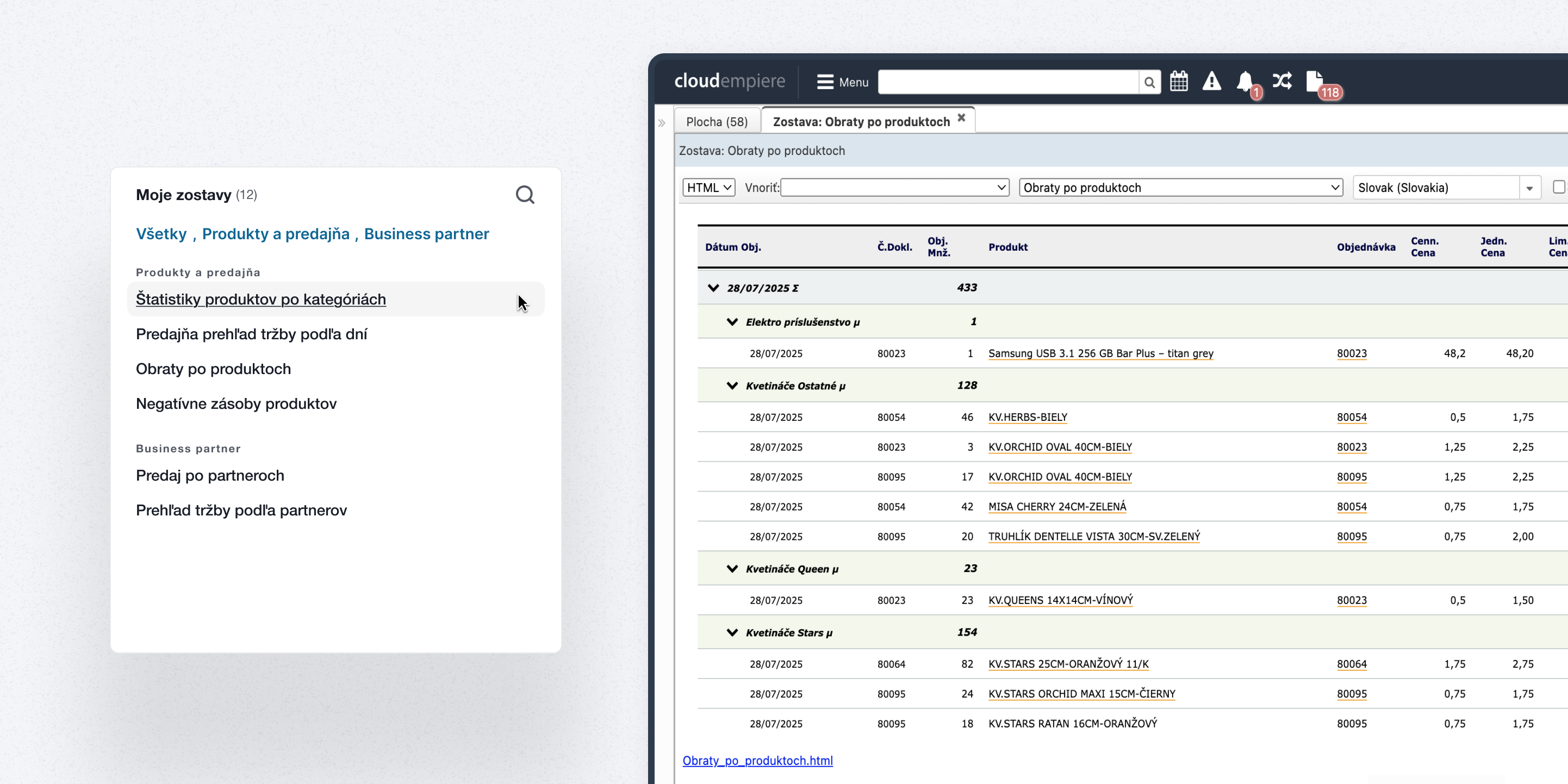
Charts with drill-down function
Your charts now provide a deeper insight into your data. Select a metric as a parameter (turnover, margin, number of documents), click on a section of the chart, and immediately dive into the details. Clicking on a section of the chart opens a detailed overview with the option to drill down further. It allows you to click and drill down into data from different sources.

Chart parameterization
We have expanded the charts with a parameterization and time grouping feature. It allows you to switch between views by month, day, or quarter.
Rozšírenie alokácií o POS referenciu pre výkonnejšie automatizácie
Added Reference column to C_AllocationHdr enabling per-POS document sequences. When payments are completed, the allocation automatically inherits the POS code (C_POS.Value) as its reference, allowing separate numbering sequences per terminal.
Benefits:
- Eliminates database locks during parallel allocation processing
- Improves performance in high-volume POS environments
- Supports multi-terminal and multi-branch scalability
feat(POSAllocation): Allow to define Allocation Document Sequence by POS Key, CLD-1423